
GONE Fishing PC Depth Finder: How to Use It Correctly
Learn how the GONE Fishing pc depth finder works, where to get it, and how to compare water depths while avoiding outdated upgrade tips and display issues.
Jump to
How Does the Depth Finder Work on PC?
The GONE Fishing pc depth finder turns an uncertain cast into a usable depth reading. Keep it in your inventory, cast your rod, and check the water depth beneath your bobber to help locate deeper fishing spots. The GONE Fishing pc depth finder matters because depth influences your catches alongside bait, weather, map, and other fishing bonuses.
The item works while you fish with your rod selected. You can leave the finder in an inventory slot and cast normally; you do not need to hold it in place of your fishing rod.
The key detail is what the measurement represents: depth is the vertical distance from your bobber to the bottom. Use that reading to compare where your casts land.
| Depth Finder Detail | How It Works |
|---|---|
| Inventory requirement | Keep the depth finder in your inventory while fishing. |
| When to check it | Cast your line and read the depth at your bobber’s location. |
| Measurement | Water depth beneath the bobber, down to the bottom. |
| Fishing purpose | Locate deeper spots and compare casting locations. |
Think of the finder as information for your next decision. It helps you choose where to fish, while your bait and the rest of your setup still influence what bites. A deep reading gives you a useful location to investigate, but landing the catch still requires completing the fishing minigames.
Official page: GONE Fishing (gonefishing.gg)
Where to Get a Depth Finder
The traveling merchant sells the depth finder among his fishing items. He visits the cabin daily, giving you an opportunity to sell catches and buy equipment.
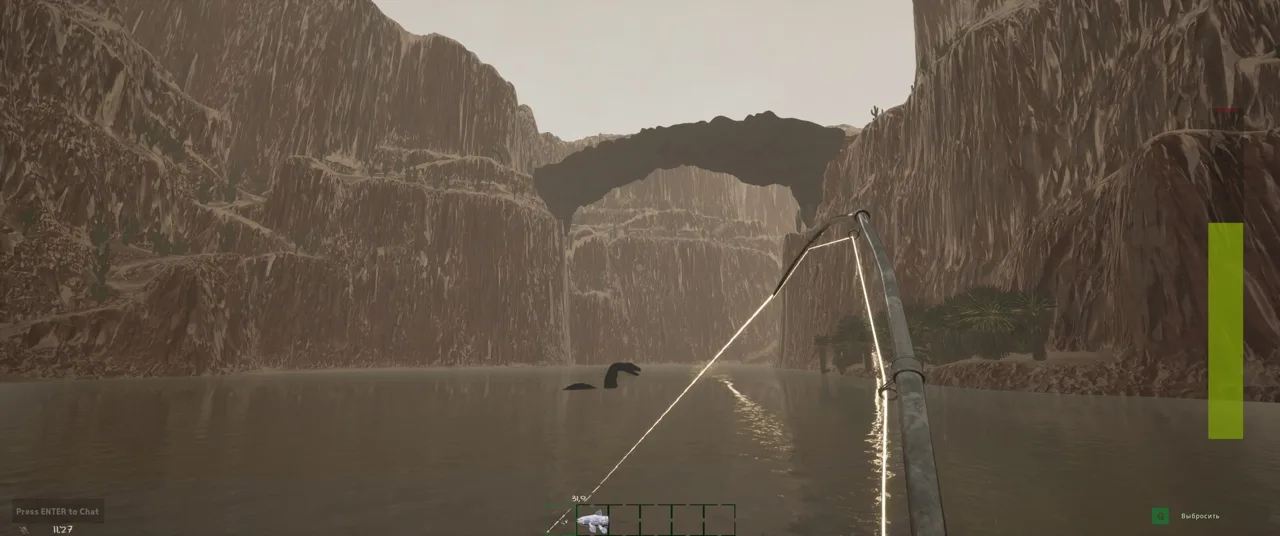 Image: Steam / GONE Studios
Check the supplies outside your starting cabin before spending gold. A depth finder can be available there alongside other starting equipment. Pick it up and keep it with the gear you take fishing.
For the merchant route, use this sequence:
- Catch fish to sell.
- Bring those catches to the merchant’s selling basket.
- Open his shop by holding E while interacting with him.
- Purchase the depth finder and carry it when you return to the water.
The GONE Fishing pc depth finder occupies inventory space, so plan what you carry before leaving the cabin. Keep your rod available and bring spare bait for the spots you intend to compare.
If you are already carrying a finder, keep that one available for your fishing trip. Selling it removes the inventory condition that enables the depth display.
Avoid buying equipment so aggressively that you neglect the daily quota. Fish deposited at the altar satisfy the lake’s hunger; fish sold to the merchant provide currency. Divide your catches with both needs in mind, especially when you are still building a dependable fishing routine.
How to Read Depth and Compare Fishing Spots
Start from a shoreline position where you can cast comfortably. Select your rod, aim over the water, hold the left mouse button to build casting power, and release to cast.
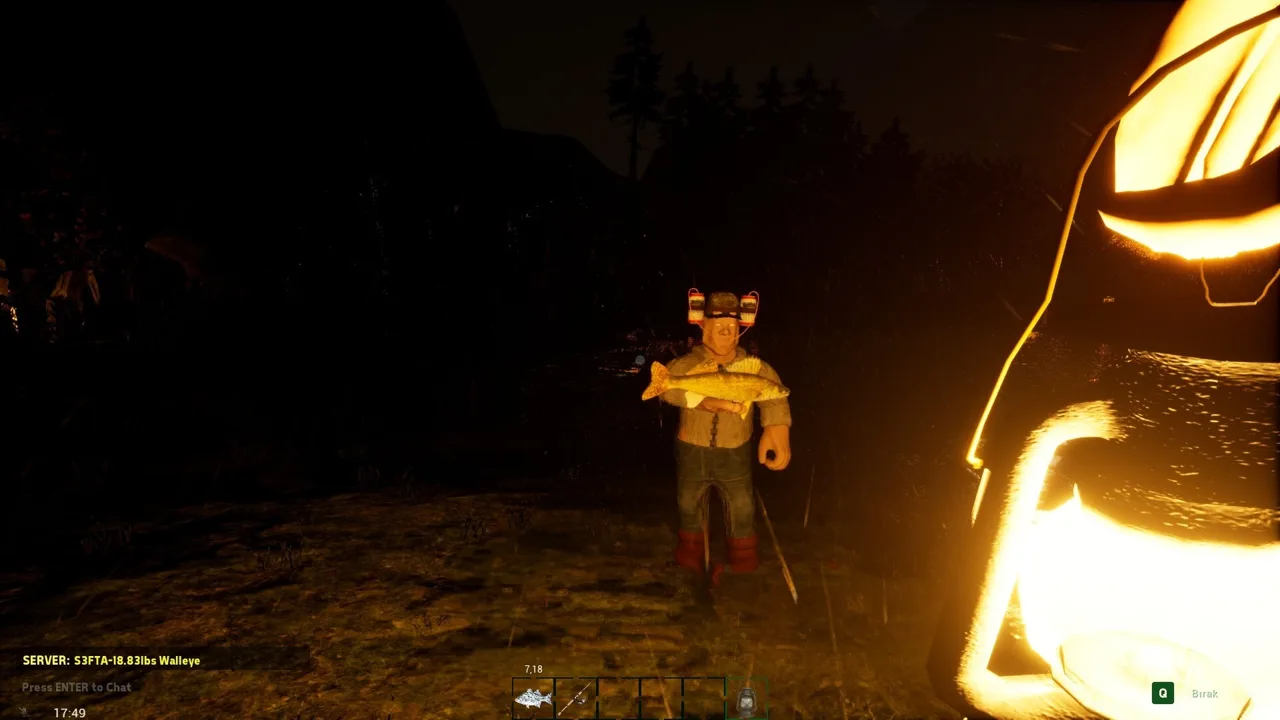 Image: Steam / GONE Studios
Once the bobber lands, check the depth display. That reading belongs to the bobber’s location, so changing where it lands lets you compare different parts of the water.
Compare Casts With a Simple Routine
Use your GONE Fishing pc depth finder to answer one question at a time: which reachable landing point gives you deeper water?
| Step | Action | What to Compare |
|---|---|---|
| Establish a starting point | Cast from a safe shoreline position. | Read the depth beneath that bobber. |
| Change your aim | Cast toward another reachable section of water. | Compare its reading with the previous location. |
| Change casting power | Hold the left mouse button longer or shorter before releasing. | Check the depth at the new landing point. |
| Revisit a location | Aim toward a spot with a useful reading. | Compare catches over repeated casts. |
Measure the landing point instead of judging the cast by distance alone. A longer cast changes where your bobber lands. Read the display after each placement to learn whether that particular direction actually reaches deeper water.
For example, compare a short cast near shore with a stronger cast farther out. Then change your angle and repeat. Let the readings guide which location you return to.
Keep your bait consistent while comparing locations. Since bait quality also affects catches, changing bait and depth together makes it harder to judge which change helped. Weather and day count also influence fishing, so compare nearby casts during the same session when practical.
Finish the Catch Normally
The depth display helps with location choice, while catching the fish follows the usual sequence:
- Wait for a bite.
- Click during the strike timing event.
- Manage the reeling meter as the fish fights.
- Bring the catch back for sale or sacrifice.
Keep your attention on the fishing meter once the fight begins. You already have the location information you needed from the depth reading.
If deeper casts repeatedly produce fish you struggle to land, return to manageable water while improving your setup. A catch you successfully bring home can contribute to quota or purchases.
Why Depth Matters for Bigger and Different Fish
The GONE Fishing pc depth finder helps you control one part of a fishing system with several interacting variables. Water depth influences average fish size, but bait, map, weather, bonuses, and days survived also shape the result.
 Image: Steam / GONE Studios
That explains why two casts into the same depth can produce different catches. Fishing includes variation, and some bait attracts particular species.
| Fishing Factor | Effect on Your Catches |
|---|---|
| Water depth | Deeper water increases average fish size. |
| Bait quality | Contributes to the bait score used to determine species and size. |
| Bait preference | Certain bait attracts particular species. |
| Map and water type | Affect which species are available. |
| Weather | Rain and thunderstorms can improve fishing results. |
| Day count | Adds to the base bait score as the run progresses. |
| Totems and perks | Apply effects such as increased fish size. |
Use this information to make deliberate changes. Try a deeper landing point with the same bait, or return to a known location during favorable weather. Avoid judging a spot from one disappointing fish.
Fish size also needs context. A higher bait score can move your catch into another species’ range, and that fish can fall nearer the smaller end of its own weight range. One result does not tell you everything about a location.
Use Depth Alongside Species Requirements
Bring your GONE Fishing pc depth finder when pursuing fish associated with deep water, then prepare for that fish’s other requirements.
In version 1.0, The Rhizo inhabits deep water on the Lake map. Catching it also requires defeating the boss and acquiring the MOBY rod. Finding deep water is part of that pursuit, while the rod requirement remains essential.
Build toward those demanding catches through manageable fishing trips. Keep meeting quota, sell catches when you need purchasing power, and revisit deeper locations as your equipment and bonuses improve.
For routine fishing, choose a spot you can use reliably within the day’s schedule. Leave enough time to return your catch to the altar before turning another promising depth reading into an extended trip.
Version 1.0 Changes and Depth Display Troubleshooting
Version 1.0 changed fishing progression, so older shopping advice needs care. The earlier line, rod, and sinker upgrade system gave way to progression built around eight trinkets.
These trinkets provide different effects, including chances to preserve bait, get an immediate bite, instantly reel in a fish, or multiply a catch’s value. Purchases and upgrades are shared with your friends.
Use the GONE Fishing pc depth finder to choose casting locations while building around the current progression system.
| Older Advice or Issue | Relevant Update |
|---|---|
| Buy personal line, rod, and sinker upgrades as your main progression path. | Version 1.0 introduced trinkets as the new fishing progression system. |
| Buy the MOBY rod through the older progression route. | Version 1.0 ties the MOBY unlock to defeating the boss. |
| Drop and retrieve the finder after loading a save to activate it. | Updates fixed the saved-game activation bug. |
| Keep seeing depth after selling the finder. | An update fixed the lingering display after sale. |
Check Inventory and Cast Again
If the display is missing, start with the item’s basic requirement: check that the depth finder is still in your inventory. Select your rod and make a cast into the water.
Check your game updates as well. Earlier versions had bugs that sometimes required dropping and picking up the finder before it worked, including after loading a saved game. Those activation issues received fixes.
Treat the old drop-and-pickup instruction as a workaround for those earlier bugs. Normal use is carrying the finder and casting.
Use the Catch Report for Additional Feedback
The catch report provides another way to understand your fishing results. It appears after a catch and shows which multipliers are boosting that fish’s value. You can toggle it in the gameplay options.
Use both displays for their respective jobs: read depth when selecting a landing point, then inspect the catch report after bringing in a fish. Compare several catches before changing your setup again.
Keep the process focused. Adjust your casting location, watch the depth, complete the catch, and check the result. That gives each fishing trip a clear purpose while you continue working toward quota and equipment purchases.
FAQ
How Do I Activate the GONE Fishing pc Depth Finder?
Keep the GONE Fishing pc depth finder in your inventory and cast with your fishing rod. The depth display shows the water depth at your bobber’s location. You can leave the finder in an inventory slot while using the rod.
Where Can I Get a Depth Finder?
Buy one from the traveling merchant, who visits the cabin daily. Also check the supplies outside your starting cabin for an available finder before purchasing another.
What Does the Depth Reading Measure?
It measures the vertical distance between your bobber and the bottom beneath it. Compare readings from different landing points to identify deeper fishing locations.
Does Deeper Water Guarantee a Legendary or Mythical Fish?
Depth is one factor in determining catches. Bait, map, weather, fishing bonuses, and other conditions also matter. For The Rhizo in version 1.0, prepare the MOBY rod unlocked by defeating the boss, then pursue it in deep water on the Lake map.
Continue with
 GONE Fishing Bait Tier List: Heart to Worm RankingsUse this GONE Fishing bait tier list to compare Heart, chopped bait, and early catches. Learn bait scores, trap changes, and how to spend rare bait wisely.
More in Gear & Bait
GONE Fishing Best Perks: Powerful Trinkets and Combos
Explore GONE Fishing best perks, the instant-catch trinket combo, shared upgrades, and starting perk effects to build your loadout for the 1.0 release.
GONE Fishing Fishing Pole Guide: Cast, Reel, and MOBY
Master the GONE Fishing fishing pole with casting controls, reeling tips, 1.0 trinket combos, and the MOBY unlock path. Prepare for tougher catches today.
GONE Fishing Heart: Revives, Extra Lives & Bait Guide
Learn how the GONE Fishing heart revives teammates, grants a solo extra life, and becomes tier 6 bait with 99 bait score and doubled legendary catch odds.
GONE Fishing How to Get Boat: Spawns, Resets, and Tips
GONE Fishing how to get boat help: find map boats, use spawn and reset controls, recover a stuck vessel, and bring your fish back before darkness falls.
Join the community
Official channels for news, updates and player help: